

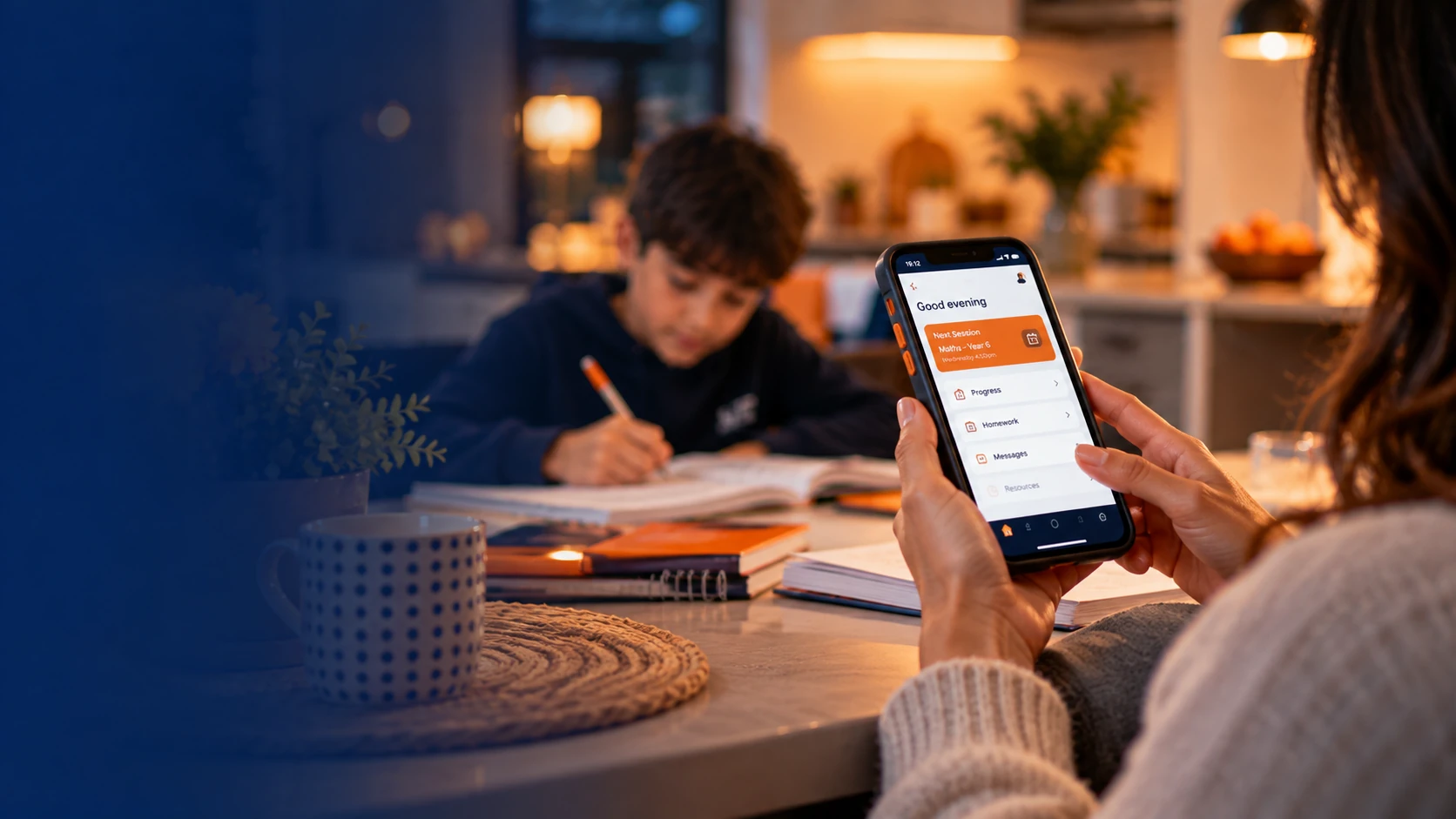
See your child’s progress, homework and feedback, all in one place
PrimePlus Tutoring: see your child’s progress, homework and lesson feedback, report absences and message their tutor, all in one place. Free for every PrimePlus family, on Android and iPhone. Book a free assessment, and once your child joins us we email you a welcome pack with your login and link.
Included for every PrimePlus family- Freefor PrimePlus families
- AndroidPrimePlus Android app
- iPhoneweb app, App Store version coming
See your child’s progress, not just their timetable
The free PrimePlus app shows parents what their child worked on in every lesson, the homework set, the tutor’s feedback and their progress over time. Report an absence or message the tutor in a tap.
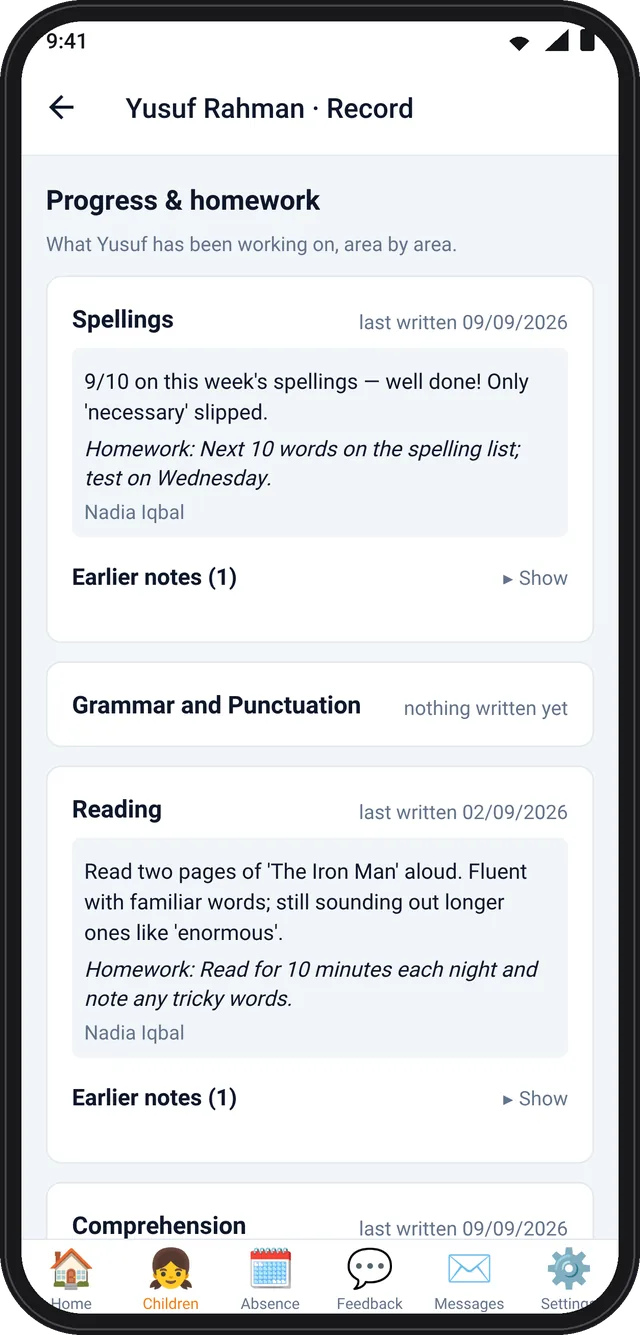
- Learning recordSession progress and homework after every lesson: the tutor’s note on what your child worked on, area by area, the homework set and a colour level. Written in the lesson, checked by the office.
- Progress chartsA per-subject rating trend built from the tutor’s approved lesson feedback.
- Lesson feedbackEvery tutor comment after a class with its colour level, plus your own ratings of the tuition.
- Report an absencePick the child and the class, give a reason and ask for a make-up lesson. The centre and tutor are told automatically.
- Message the tutorA private thread with your child’s tutor, reviewed by the office, with unread badges.
- Every child, one accountProfiles, upcoming and past lessons, targets, workbook pages, school reports and photos of their work.
Free for PrimePlus families. The app comes with a place at PrimePlus: book a free assessment, and once your child joins us we email you a welcome pack with your app login and link. Android phones use the PrimePlus Android app. iPhone and iPad use the PrimePlus web app, which works in Safari and adds to your Home Screen like any other app, while our App Store version is being finished.
What you can do in the app
Every screen a parent uses, in the order you will meet them.
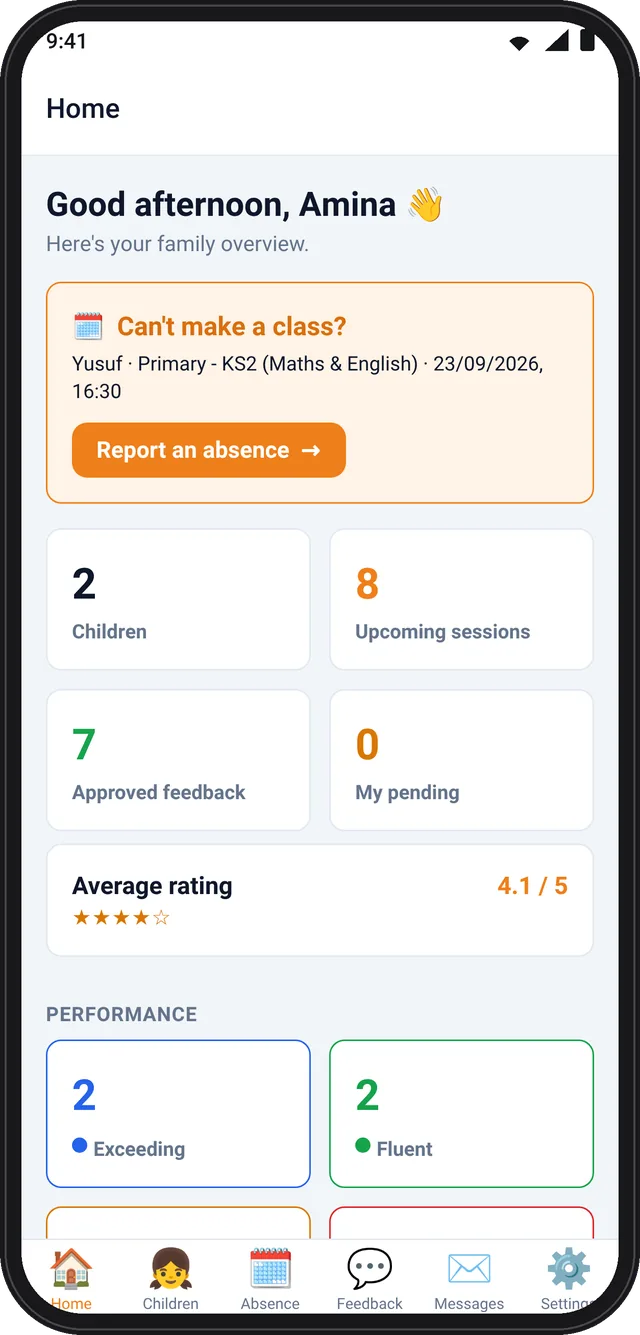
- Family overview homeA greeting, the next class with one-tap Report an absence, tiles for children, upcoming sessions and approved feedback, your average rating, and a performance summary across all your children: Exceeding, Fluent, Developing, Emerging.
- My ChildrenEvery child on one account, each with a profile (year group, school, date of birth), a photo, and upcoming and past lessons grouped by today, this week and this month.
- Progress chartsA per-subject rating trend built from the tutor’s approved lesson feedback.
- Learning recordSession progress and homework after every lesson, area by area (Spellings, Reading, Times Tables, Maths and more): the tutor’s progress note, the homework set in its own box, a colour level and earlier notes. Written in the lesson, checked by the office.
- Targets and workbooksThe term’s targets for each learning area, and which workbook page your child is on.
- Lesson feedbackEvery tutor comment after a class with its colour level, plus your own ratings of the tuition.
- Report an absencePick the child and the class, give a reason and optionally ask for a make-up lesson. The centre and the tutor are told automatically and you see the office’s reply.
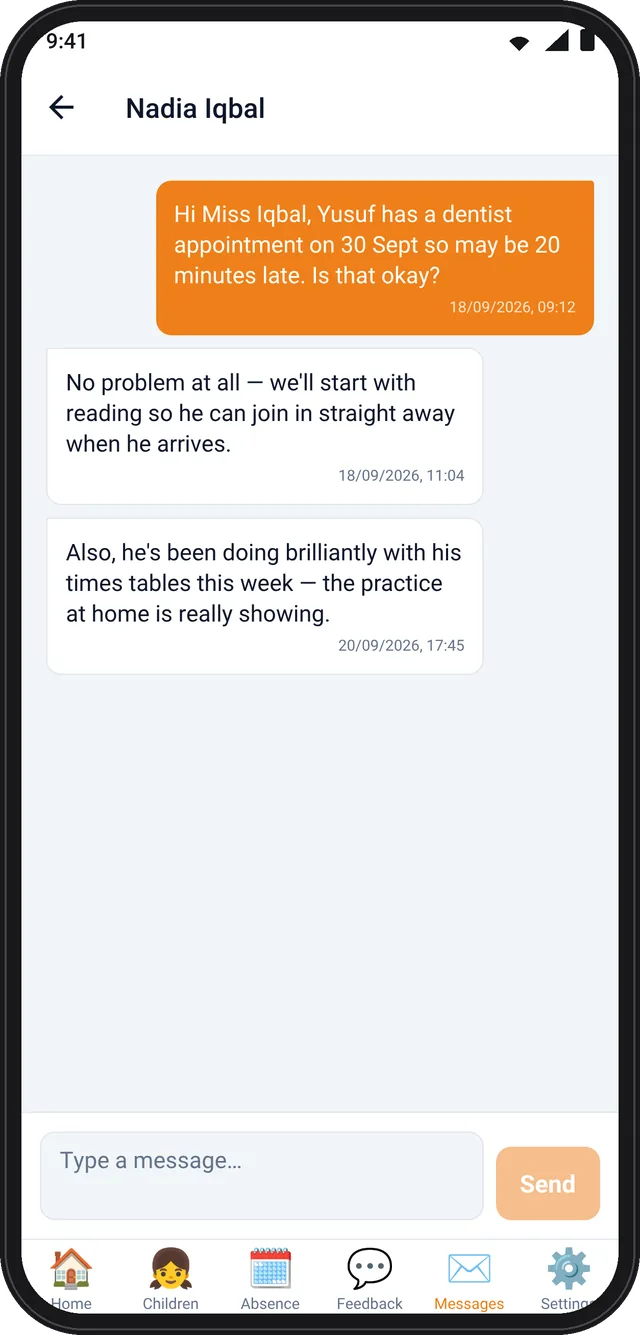
- MessagesA private thread with your child’s tutor, reviewed by the office, with unread badges.
- Feedback and online tuitionRate a lesson, or ask for extra online tuition, straight from the app.
- School reports and work photosUpload a school report, and see photos the tutor took of your child’s work.
- SettingsProfile photo or avatar, change password, and light, dark or follow-your-phone appearance.
- Push notificationsA nudge for new feedback, new messages and replies to absence reports.
The same app, with a tutor login
Tutors write the learning record in the lesson, so what parents see comes straight from the classroom.
- Teaching overviewStudents, today’s lessons, registers still to mark and pending feedback.
- DiaryAgenda, week and calendar views of every lesson at every centre, plus one-off sessions.
- RegistersMark present, late or absent, give each pupil a colour level and a feedback note, and write the learning-record entry for the lesson.
- My StudentsEvery pupil on the roster with profile, sessions, learning record and targets.
- Cover requestsCannot attend? Ask the office for cover or a cancellation.
- Messages and performanceMessages with parents, and the tutor’s own summary: sessions taught, registers marked, attendance rate.
Set up in a couple of minutes
Join PrimePlus
Book a free assessment. Once your child joins us, we email you a welcome pack with your app login and link: the Android app for Android phones, or the web app for iPhone and iPad.
Log in with your details
Use the email address you registered with PrimePlus. If you are new to us, book a free assessment first and we will set you up.
See everything in one place
Your children, their lessons, learning record, feedback and messages appear as soon as you log in. Turn on notifications so you never miss new feedback.
Is the app free?
Yes. The app is free for all PrimePlus families and there is nothing to pay for inside it.
Which phones does it work on?
Android phones use the PrimePlus Android app, which we send you directly. iPhone and iPad use the PrimePlus web app: open it in Safari and add it to your Home Screen, and it works like any other app, with notifications on iOS 16.4 or later. You can also log in from any computer. A native App Store version is being finished.
Is it on Google Play or the App Store?
Not yet. The app is only for PrimePlus families, so we send you the Android app and the web app link ourselves with your login. When it reaches Google Play and the App Store, your login stays the same.
Do I need an account?
Yes, and we create it for you. When your child joins PrimePlus we email you a welcome pack with your login. If your child is not yet with us, start by booking a free assessment.
I have more than one child at PrimePlus
All your children sit on one account. The home screen shows a performance summary across all of them, and each child has their own profile, lessons, learning record and targets.
Who writes the notes I see?
Your child’s tutor writes the learning record and lesson feedback during the lesson. The office checks each entry before it reaches you, and tutor messages are reviewed the same way.
Does it have a dark mode?
Yes. In Settings you can choose light, dark or follow your phone.
Is my child’s information secure?
Only registered parents and carers can see a child’s information, and you log in with your own details. See our privacy policy for how we look after personal data.
Not with PrimePlus yet?
Book a free assessment for KS2 and KS3 pupils, or ask us about tuition for any year group from KS1 to A-Level, and get set up on the app when your child starts.
- Free assessment for KS2 and KS3
- Groups of 3 at most
- 3 centres in Milton Keynes